Email families and coaches straight from your rosters
Turn a team, a tryout, a league season or a program into an email list that stays current. Write the message in an editor you already know, send it from your club's own address, and see who opened it.
Comes with any Callback module. Pricing will be set when Messaging leaves private beta.
Messaging is in private beta. We are bringing a few clubs on at a time.
How Messaging works
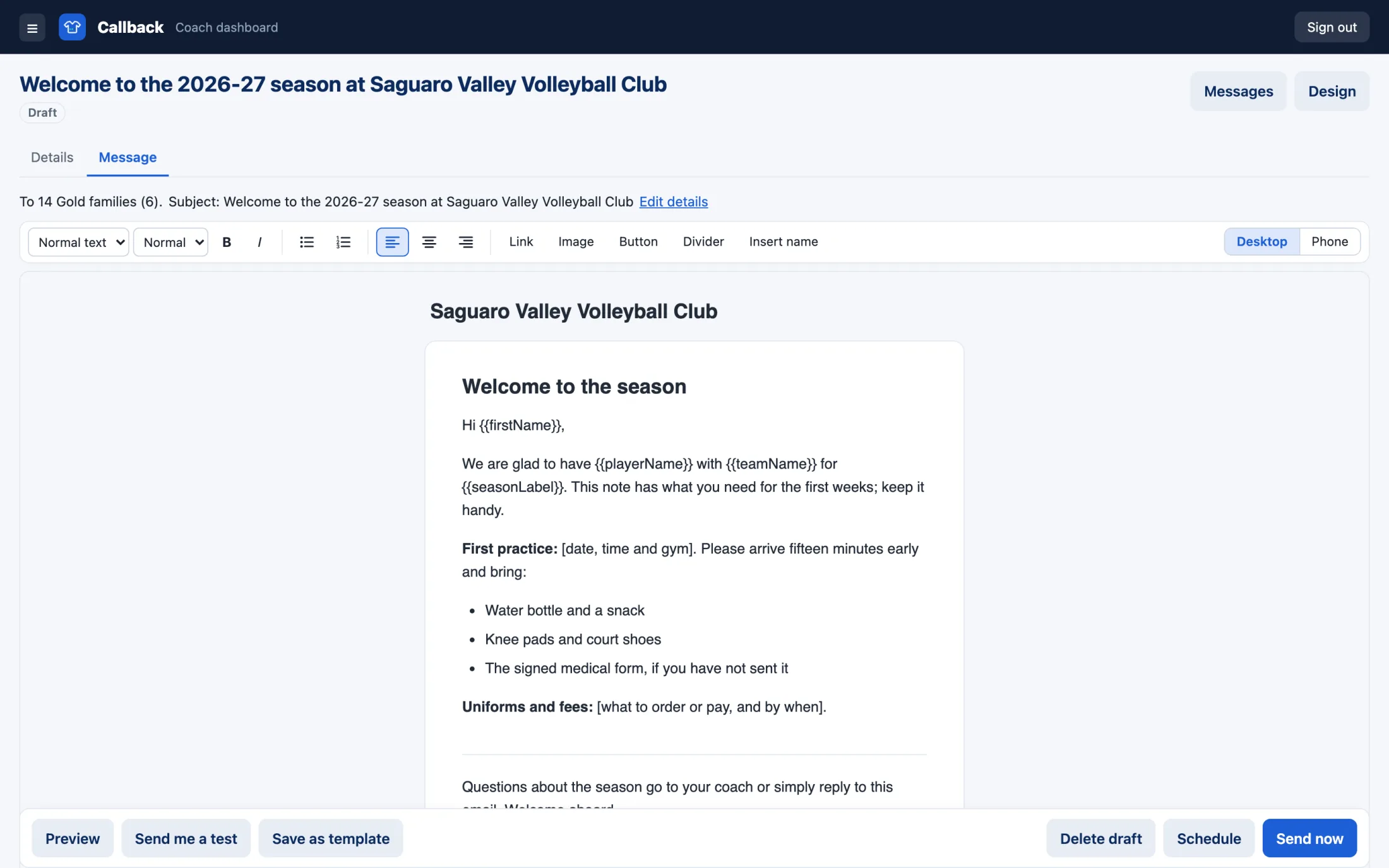
Build lists from your rosters
Make a list from one team, several teams, a tryout's accepted players, the coach directory, a league season or a Registrations program. When a roster changes, you'll see who's being added or removed before the list updates. Add people by hand or import a CSV, and they stay on the list when it updates.
Write the email the way you write any email
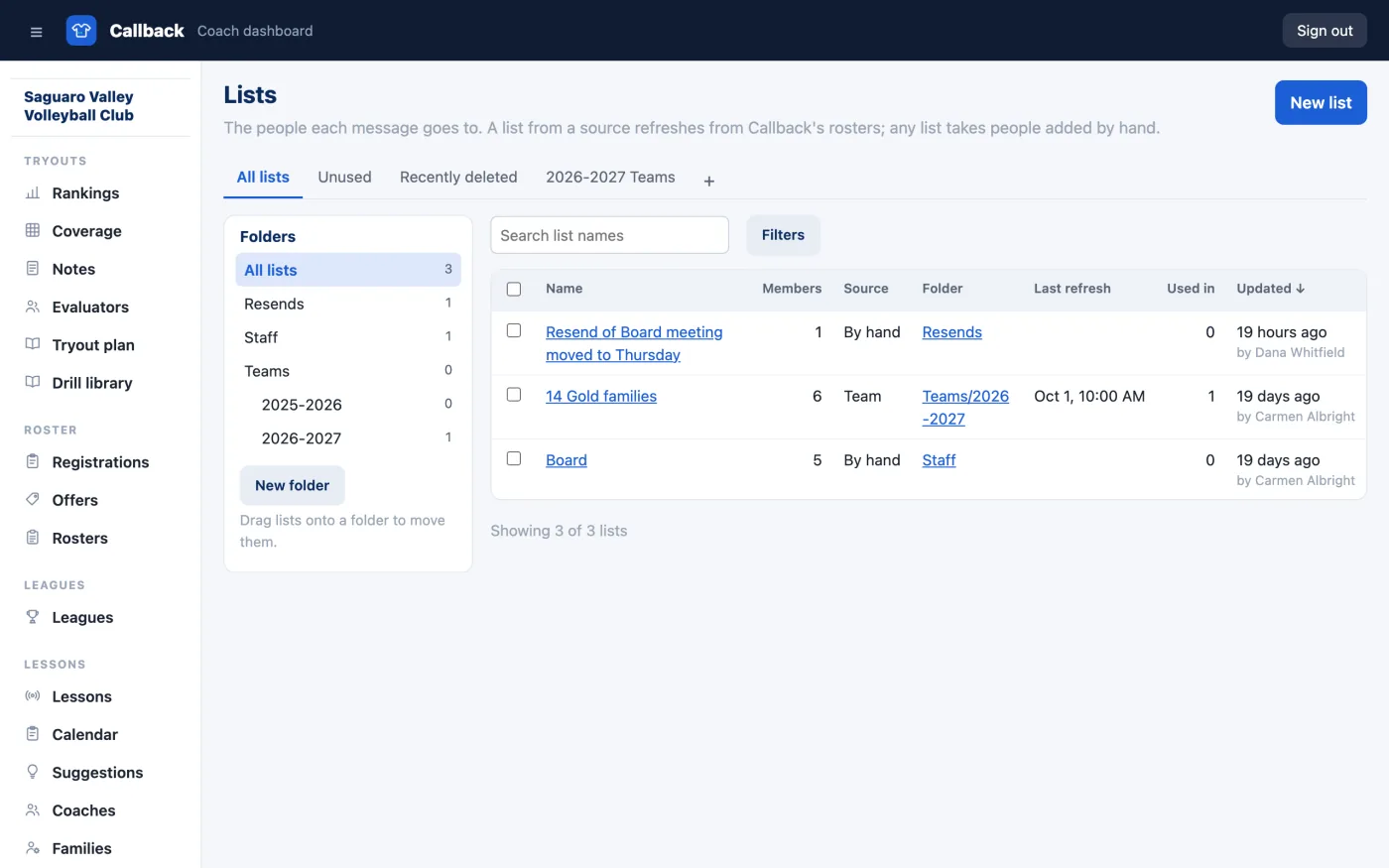
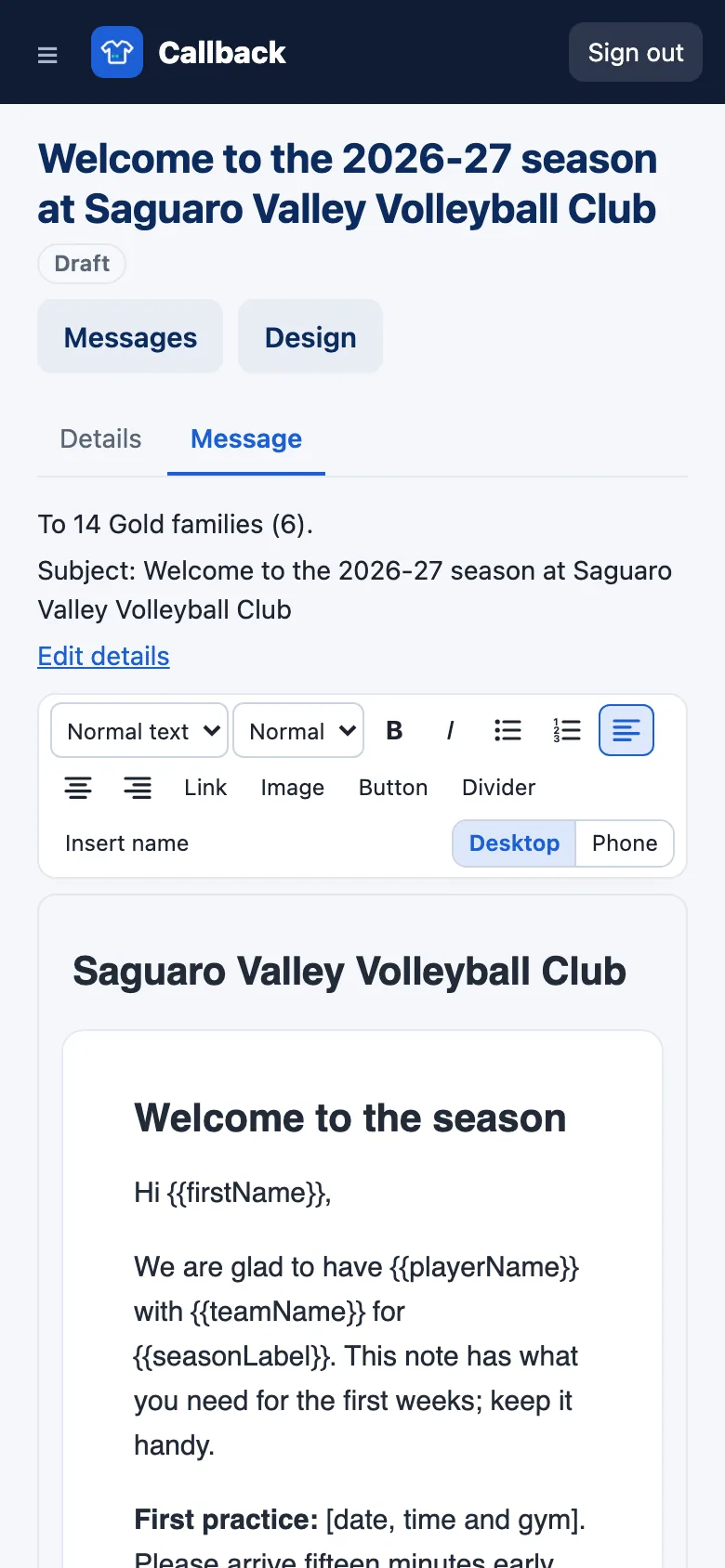
Type it as you would in Gmail or Outlook, with a toolbar for headings, text sizes, bold, italics, bulleted and numbered lists, alignment, links, images and buttons, or start from a template. Insert name fills in each reader's first name, and drafts save as you type.
Keep every message filed
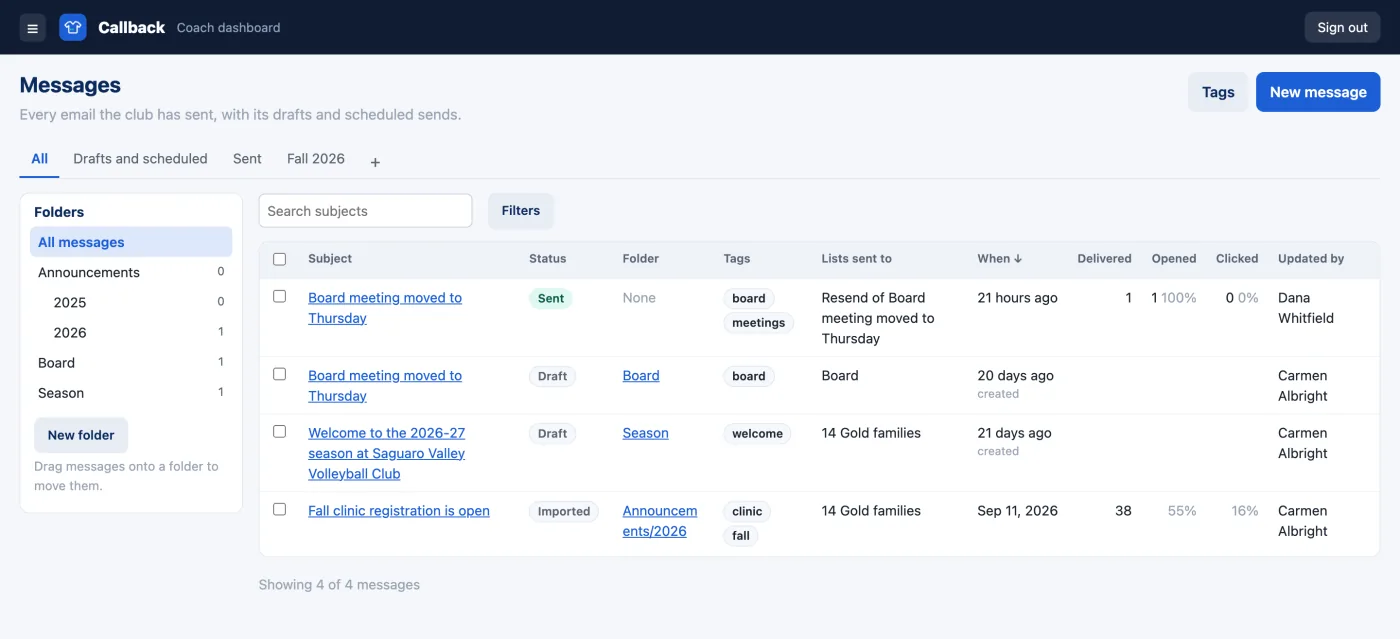
Put each message in a folder and tag it. Save a view, such as drafts and scheduled or one season's sends, and it stays as a tab. Search subjects, filter by tag, and drag messages onto a folder to move them.
Preview, test and schedule
See the email at desktop and phone widths, send yourself a test, then send it now or schedule it in your club's time zone. Before it goes, Callback tells you how many people it will reach and who will be skipped.
See who opened and clicked
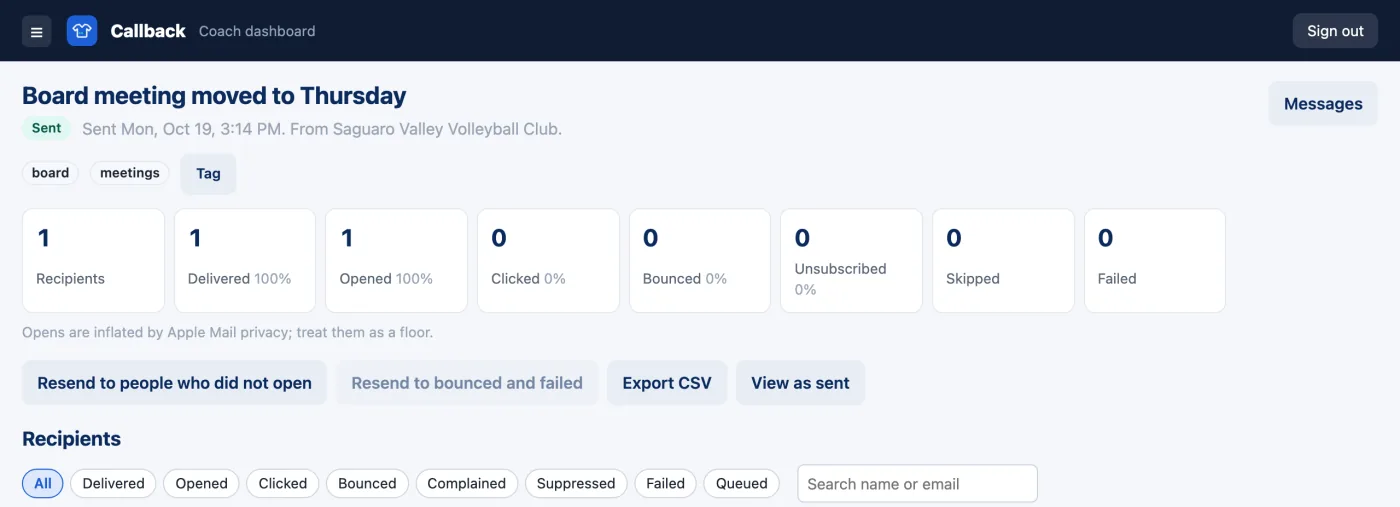
Each message gets a report showing who it was delivered to, who opened it and who clicked, and you can export it. Resend to everyone who didn't open it, in two clicks.
Let families choose what they get
Every email carries your postal address, an unsubscribe link and a preferences page where families turn off the kinds of messages they don't want. Bounced addresses stop getting mail automatically.
Send from your club's own address
Emails come from your club's domain, with replies going to the address you choose. Settings lists the DNS records to add and shows when each one is found.
What's included
- ✓A Messages section in your dashboard for your club admins.
- ✓Lists from every Callback module you use plus lists you build by hand.
- ✓A report for every message with an export of its recipients.
What you need
- ✓Any Callback module. Messaging comes with each of them.
- ✓Your club's postal address for the foot of every email.
- ✓Access to your domain's DNS settings or someone who has it, to add the records Settings lists.
Send your next club email from Callback
You'll pay only for what you send, billed monthly. Pricing will be set when Messaging leaves private beta.