Fees: set each team's fee and collect it on payment plans
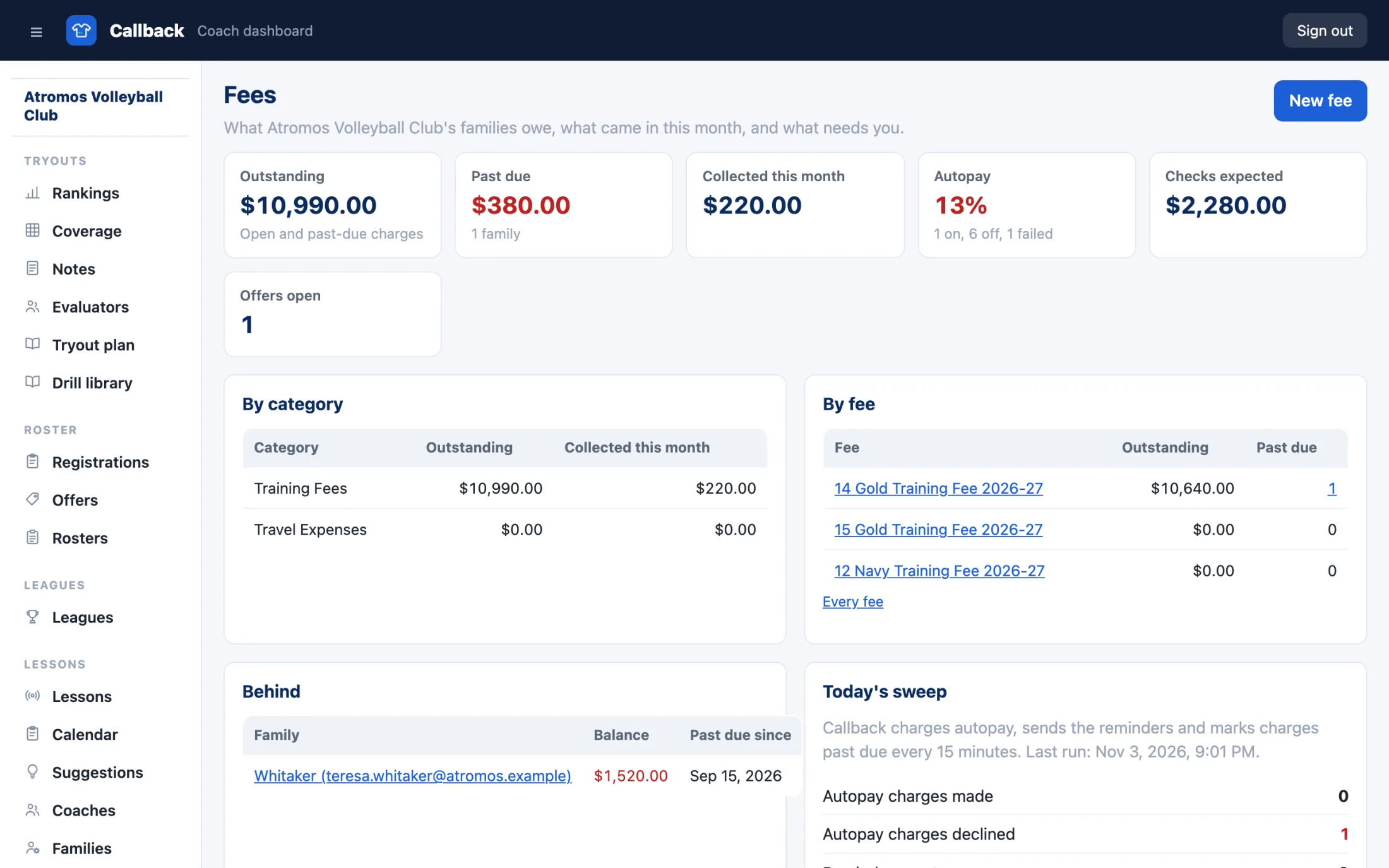
Set a fee for each team's season with the payment plans families can pick. Send the offers from your roster, and families accept, choose a plan and pay by card, bank or check. Every balance is on one page, so you see who is behind without a spreadsheet.
How Fees works
Set each team's fee and its plans
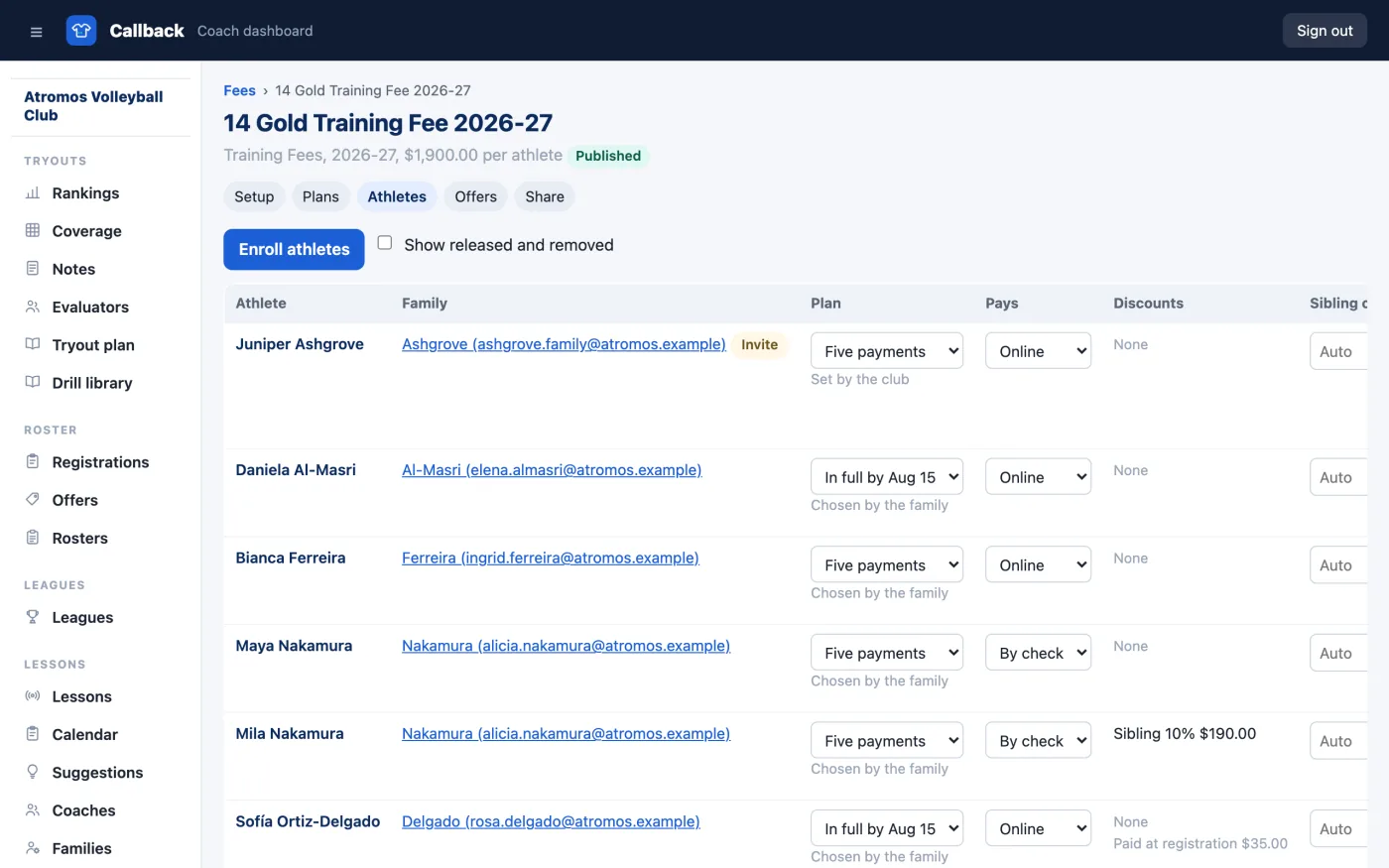
Name the fee, pick its category and set the amount per athlete. Add the plans families can choose: in full by a date, or equal payments on the dates you set, with one plan as the default. A plan can close on a date you pick, so a five-payment plan is offered only until then.
Add discounts and coupon codes
Give a sibling discount, a percent off the second athlete in a family and each one after. Create coupon codes families type when they accept, each with a start and an end date, a use limit and the fees it covers. The best single discount applies, and each one shows on the family's statement.
Send the offers and let families pay
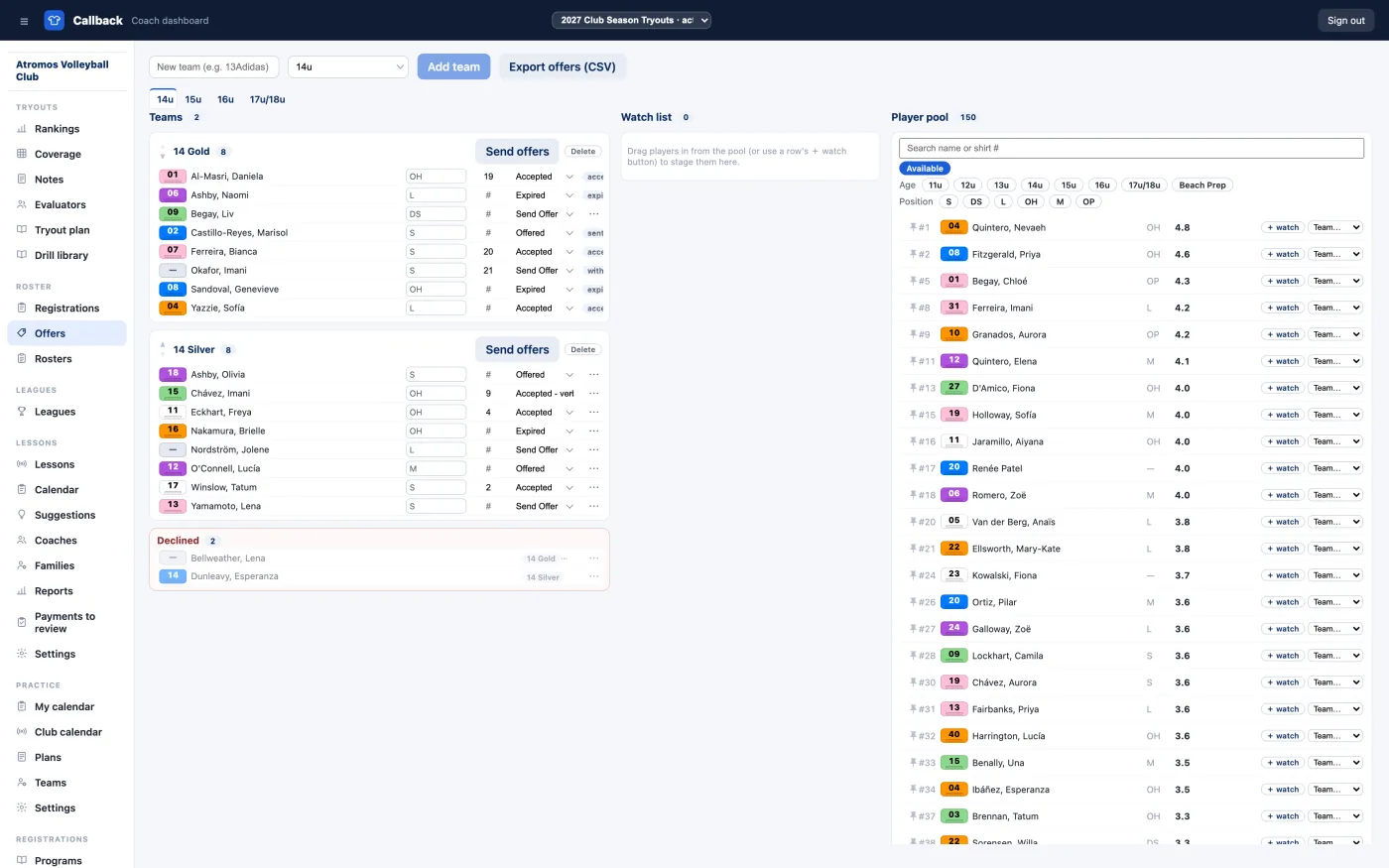
From your roster, send each athlete's family an offer with the team, the fee and its plans. A parent accepts on your club website, picks a plan, enters a coupon code if they have one, and pays the first payment by card or bank. When you allow it, they can choose to mail a check instead. The roster line turns to Accepted.
Charge autopay on each due date
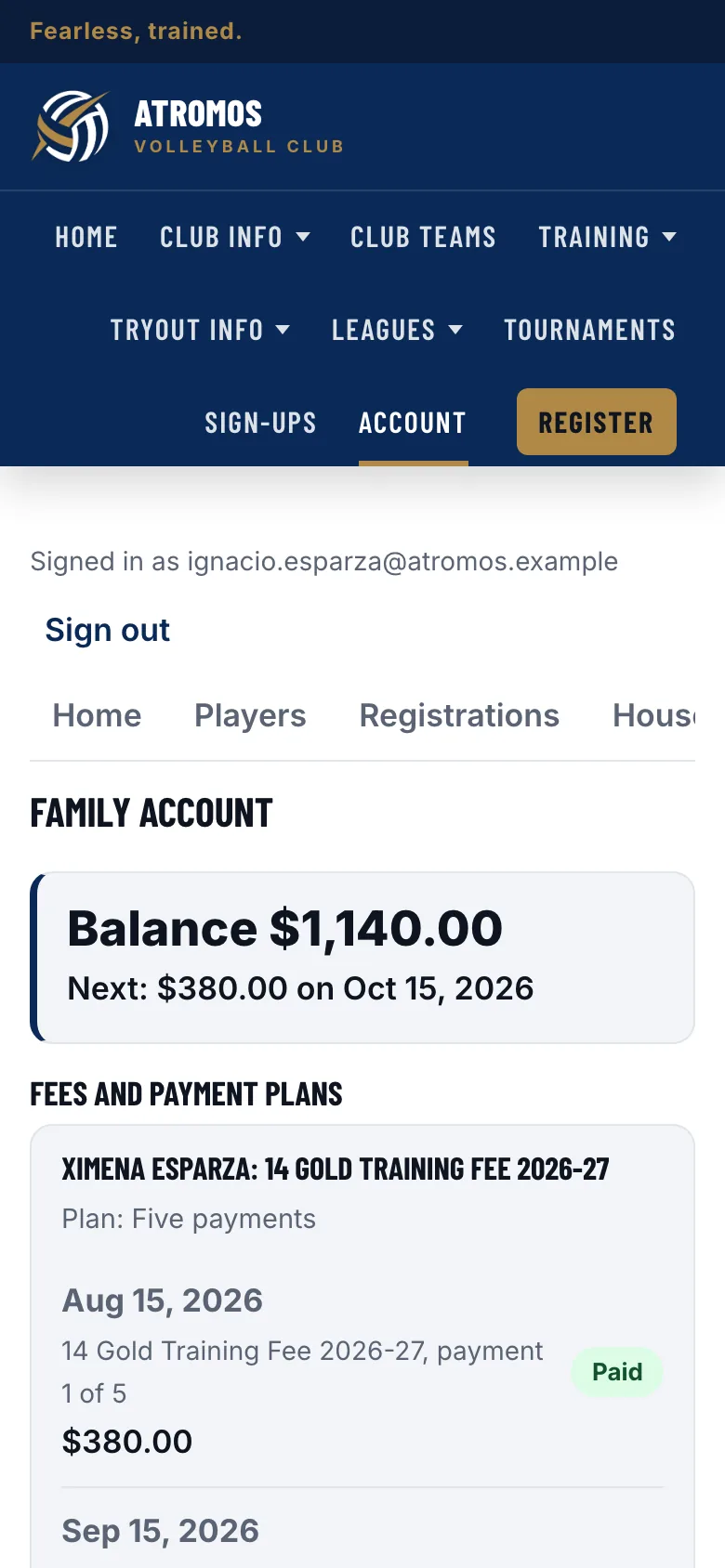
A family can save a card or bank account and turn on autopay, and Callback charges it on each due date and emails a receipt. Everyone else gets a reminder before a payment is due and after one is late, and you record each check as it arrives.
See who is behind
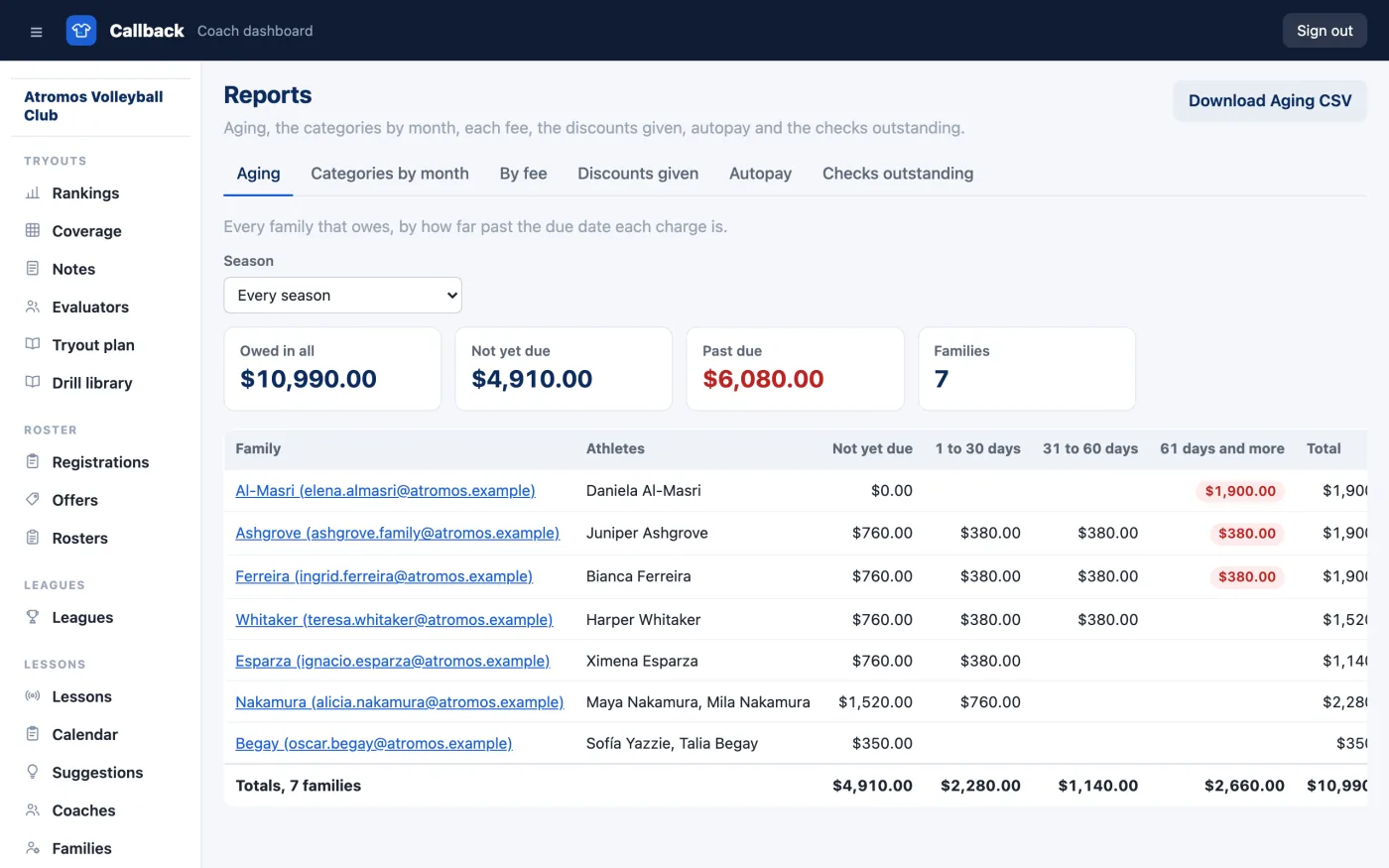
The Families list shows every balance and who is past due, by how much and since when. The aging report groups what is owed by how late it is. A family can download a statement of every charge, payment and credit from their account.
Add categories of your own
Every charge carries a category. Training Fees and Travel Expenses are built in; add your own in Fees Settings, a uniform package or tournament entry, so your books read in your words. A travel fee is a second fee on the team, often on its own plan once the event costs are known.
What's included
- ✓A Fees section in your dashboard for your admins and anyone you give the Finance capability.
- ✓A family account for every household on your club website, at
<your-club>.callbacksports.com - ✓Reminders and receipts by email before and after each due date, and for every payment.
- ✓Reports by category, fee and month, the aging report and exports.
What you need
- ✓A Stripe account for online payments, connected from Settings. Checks need nothing.
- ✓Your rosters. Enroll athletes from a Tryouts roster, a Registrations program or by hand.
- ✓Parents sign in with a Callback account. A parent without one creates it when they accept the offer.
Bring your season's fees to Callback
Fees is included in Callback at $99 a month, billed yearly. Everything your club needs is included.