Schedule: put every practice on a court and on every family's calendar
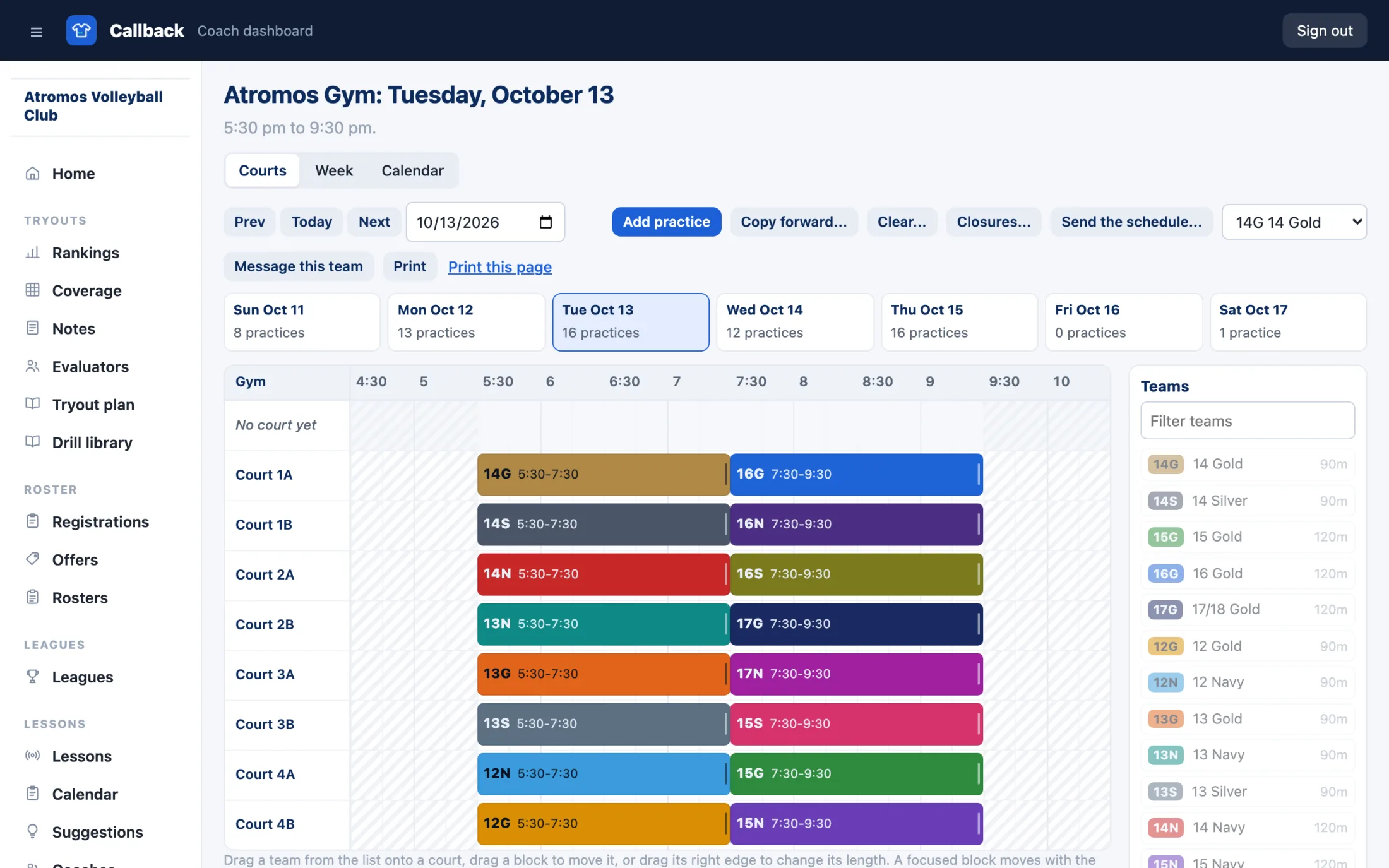
Lay out your gym's week on a grid of courts and times, drag each team where it practices, and copy the week or the month forward. Coaches see their teams' days, and families see where to be on your club website and in their phone's calendar.
How Schedule works
Set up your gyms, courts and hours
Add each gym you practice in with its address and its courts, in the order you use them. Set the hours it is open on each day of the week, or mark a day closed. A club that rents time in more than one gym lists each one.
Give every team a code and a color
Each team gets a short code, such as 14G, built from its age and level, a color from a palette of 24 and its usual practice length. Teams come from your tryout rosters, and you can copy last season's codes and colors by name. A program with no roster, like a clinic, is a group with its own code.
Drag teams onto the court grid
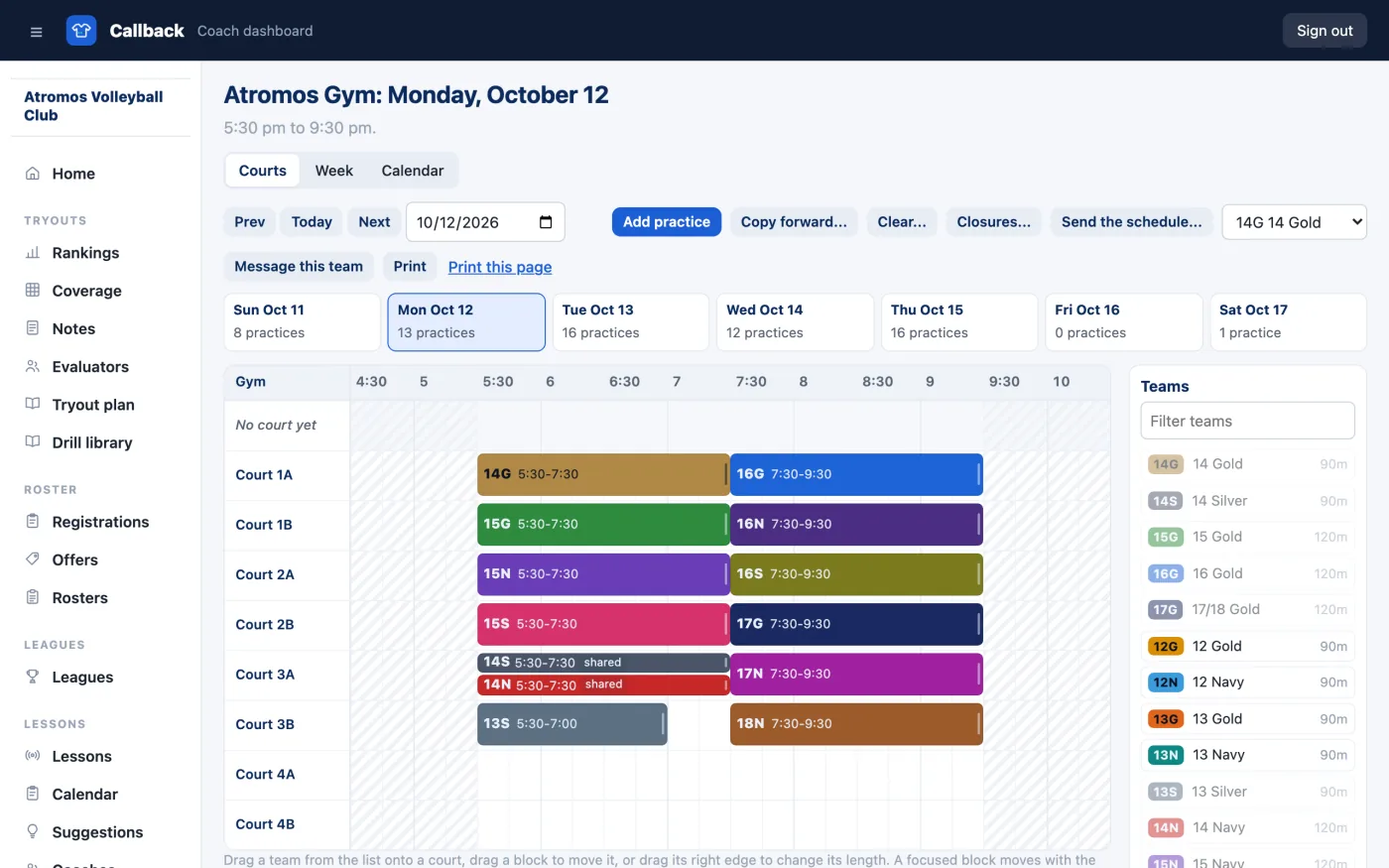
Open one gym and one day: courts down the side, the hours across in half-hour columns. Drag a team from the list onto a court and a time, stretch it to its length, and drag it again to move it. Two teams on one court at once is refused with the reason, such as "Court 1 is taken by 14G 5:30-7:30", unless you mark the practice as sharing the court.
Copy the month forward or repeat it all season
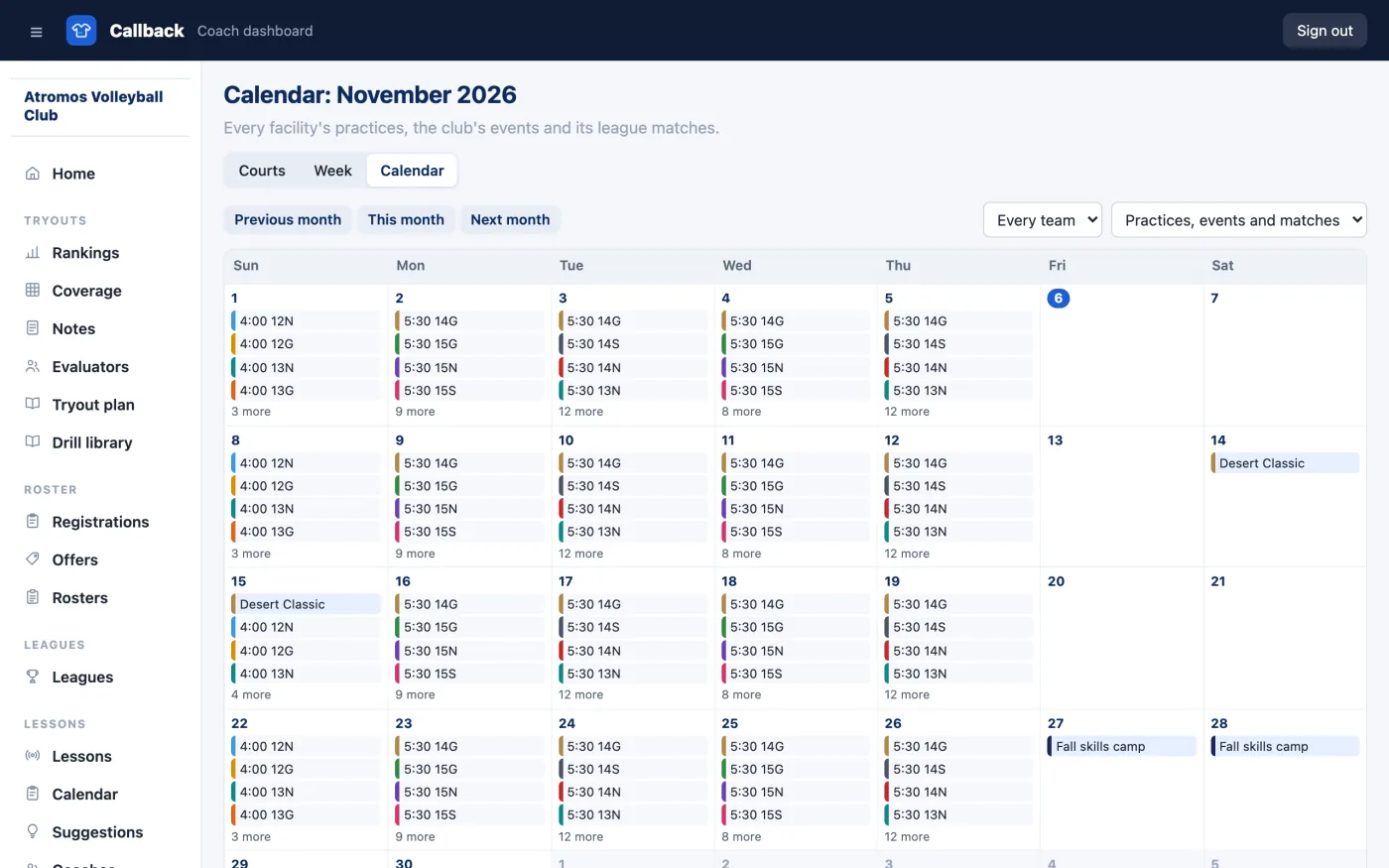
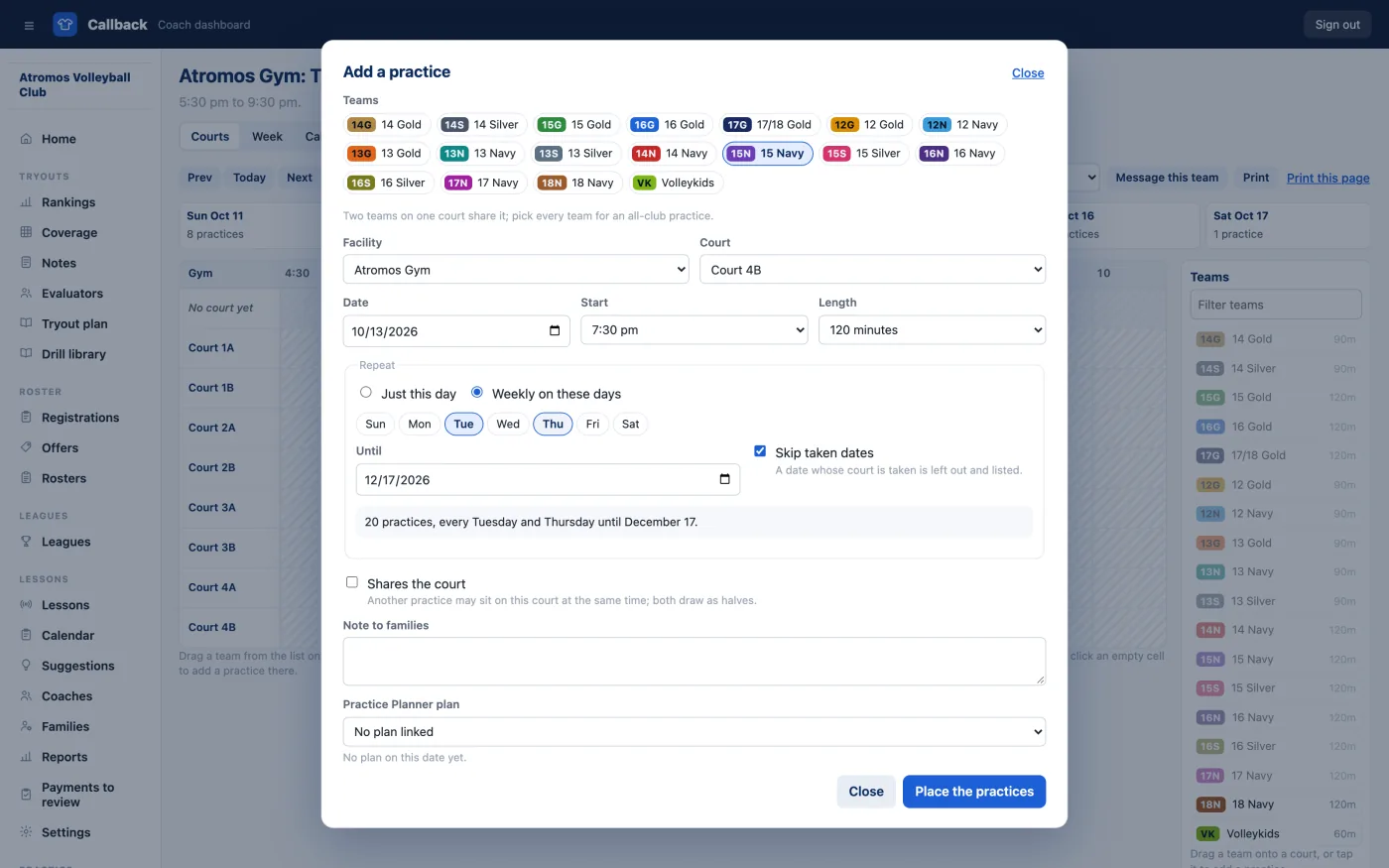
Many clubs get their gym time a month at a time: when one week or month is right, copy it to the next and adjust it by hand, and Callback lists any court it skipped because it was taken or closed. If your times hold all season, add a practice with a repeat rule, such as Tuesdays and Thursdays through December 31, then change one practice on its own or that practice and every one after it.
Close courts when the gym needs them
Mark a closure for a date or a few days, on every court or some, for the whole day or a time window. The grid shades the closed courts and flags the practices it breaks, so you can move them before families arrive.
Add the tournaments and events you travel to
Add an event with its venue, its dates, the teams going, the host's schedule link and a hotel link with its booking cutoff. Events you host in Callback Tournaments show on the calendar as well.
Show league matches beside practices
When a club team plays in your Callback league, link the two, and its matches show on the team's calendar and on every family's. When your gym hosts the league, the night's matches hold their courts on the grid, so no practice lands on one.
Give families their schedule and a calendar feed
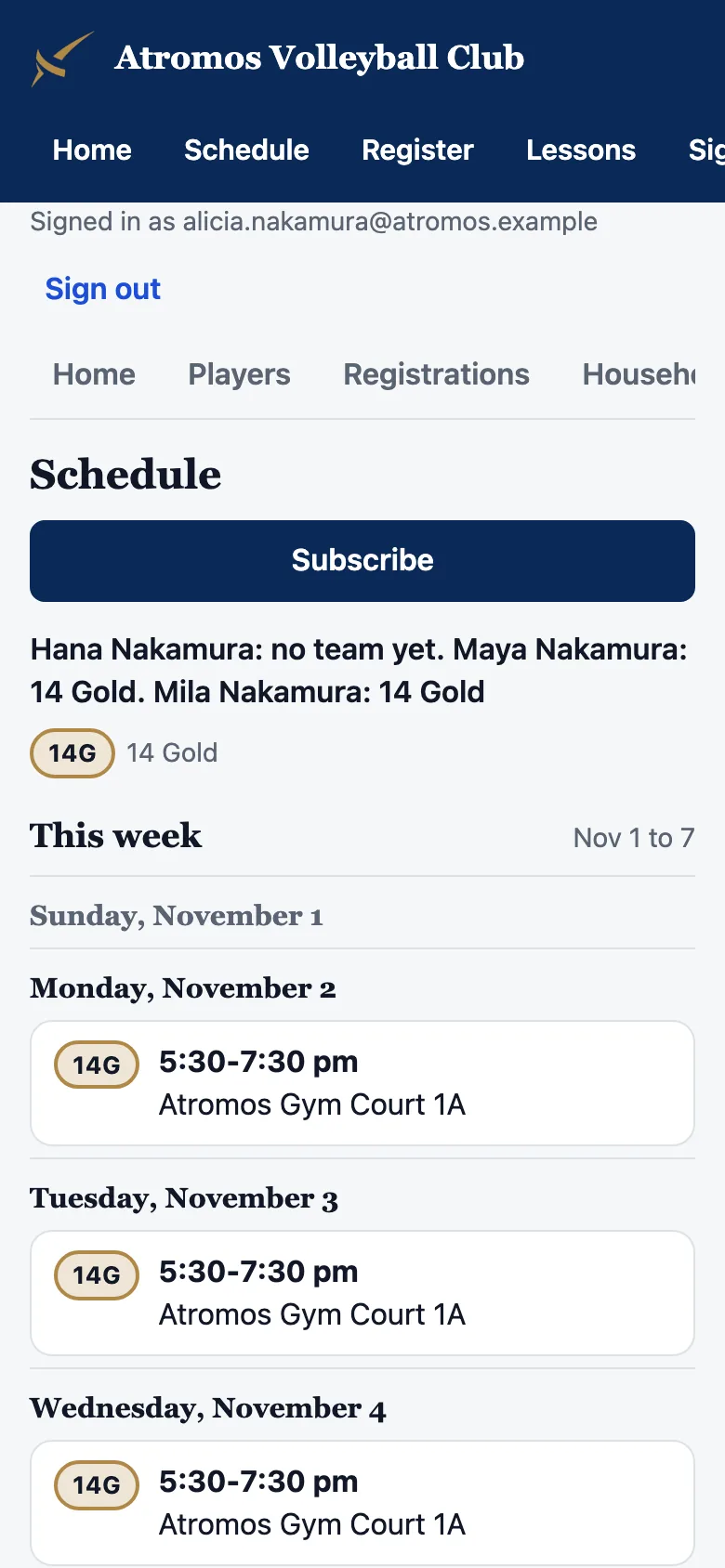
Families sign in on your club website and see their athletes' teams for the week and the month, with the gym, the court and the time of each practice. They subscribe once, and their phone's calendar keeps up as you change things. Send a team's families the week or the month by email, with a calendar file attached.
What's included
- ✓A Schedule section in your dashboard for your admins and anyone you give the Scheduler capability.
- ✓My schedule for every coach, with each practice's plan from Practice Planner when you run it.
- ✓A schedule page for every family on your club website, at
<your-club>.callbacksports.com - ✓Calendar feeds for each team and each family, and a printable day sheet for the gym door.
What you need
- ✓Your teams. From a Tryouts roster, your league teams, or groups you name yourself.
- ✓Your gyms and their hours. Callback does not book the gym; you place what the gym gives you.
- ✓Parents sign in with a Callback account to see the family page. A calendar feed needs no sign-in once it is added.
Bring your gym schedule to Callback
Schedule is included in Callback at $99 a month, billed yearly. Everything your club needs is included.