Run your tournament with pools, brackets and live scores
Teams register and pay on your club website. You accept them, seed the pools and build the brackets. On the day, scores come in from the court, so standings, brackets and every team's next match stay current.
How Tournaments works
Set up the event and its divisions
Start from a one-day club tournament, a multi-division invitational or a play day, or from a blank event. Add your sites and courts, then each division's entry fee, team cap, pool format and bracket format. Write the rules, check-in and gym notes once, and they appear on the event page.
Let teams register and pay on your website
Each event gets a page on your club website. A coach signs in, names the team and its club, picks a division, adds the roster if you ask for one, and pays by card. You can take payment at registration, when you accept a team, or by check at the door.
Accept, waitlist or deny each team
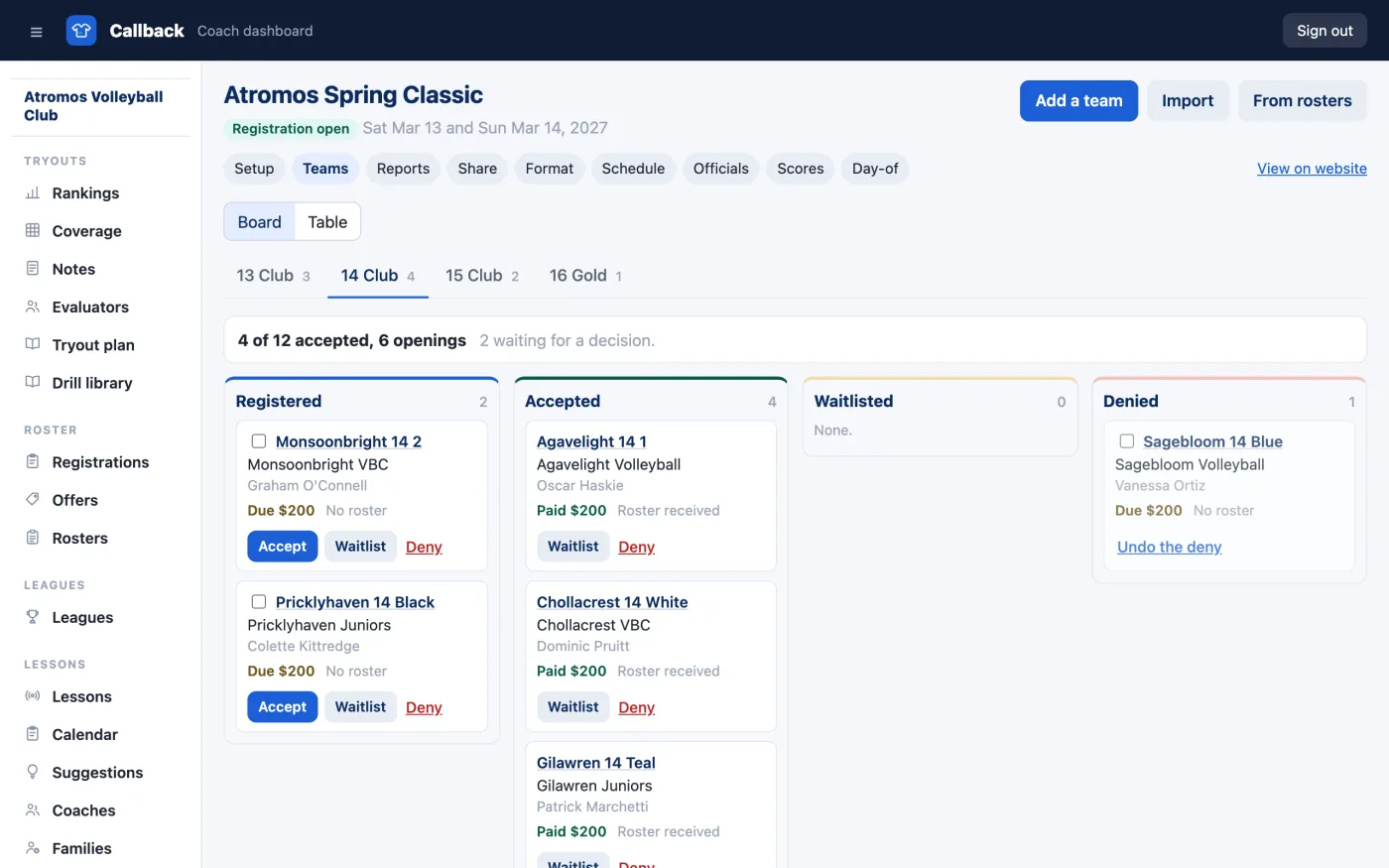
The board shows every division's teams as registered, accepted, waitlisted or denied, with what each has paid. One click accepts, waitlists or denies a team, and the coach gets an email. A paid team you deny is refunded in full from the board. If teams registered somewhere else, paste their list in from a spreadsheet.
Seed the pools and build the brackets
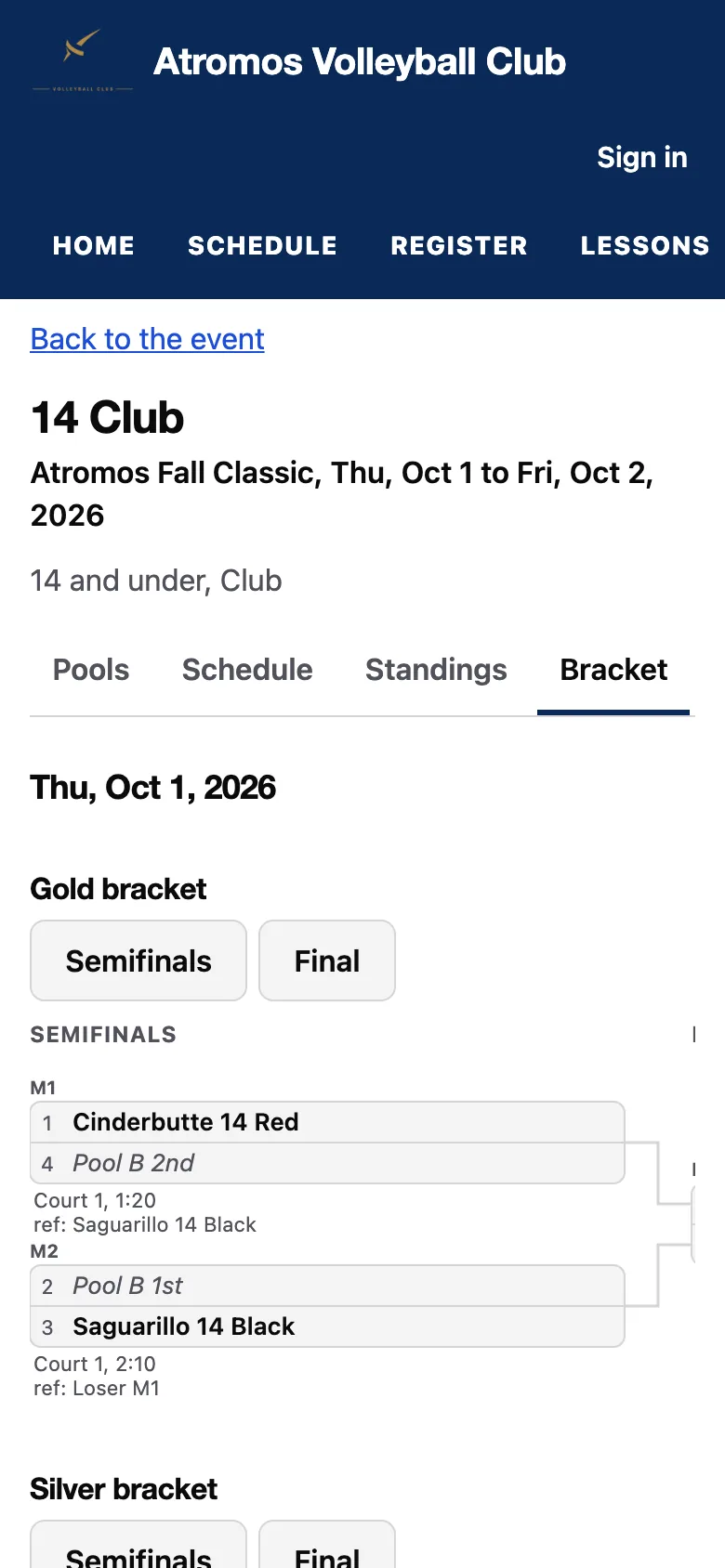
Callback proposes the pools for the number of teams, such as two pools of four for eight teams, and seeds them in order; drag a team to change it. Each pool gets a court and the standard schedule, with the idle team working. The brackets take the pool finishers, such as Gold for first and second and Silver for third and fourth, with byes placed by seed.
Publish the schedule
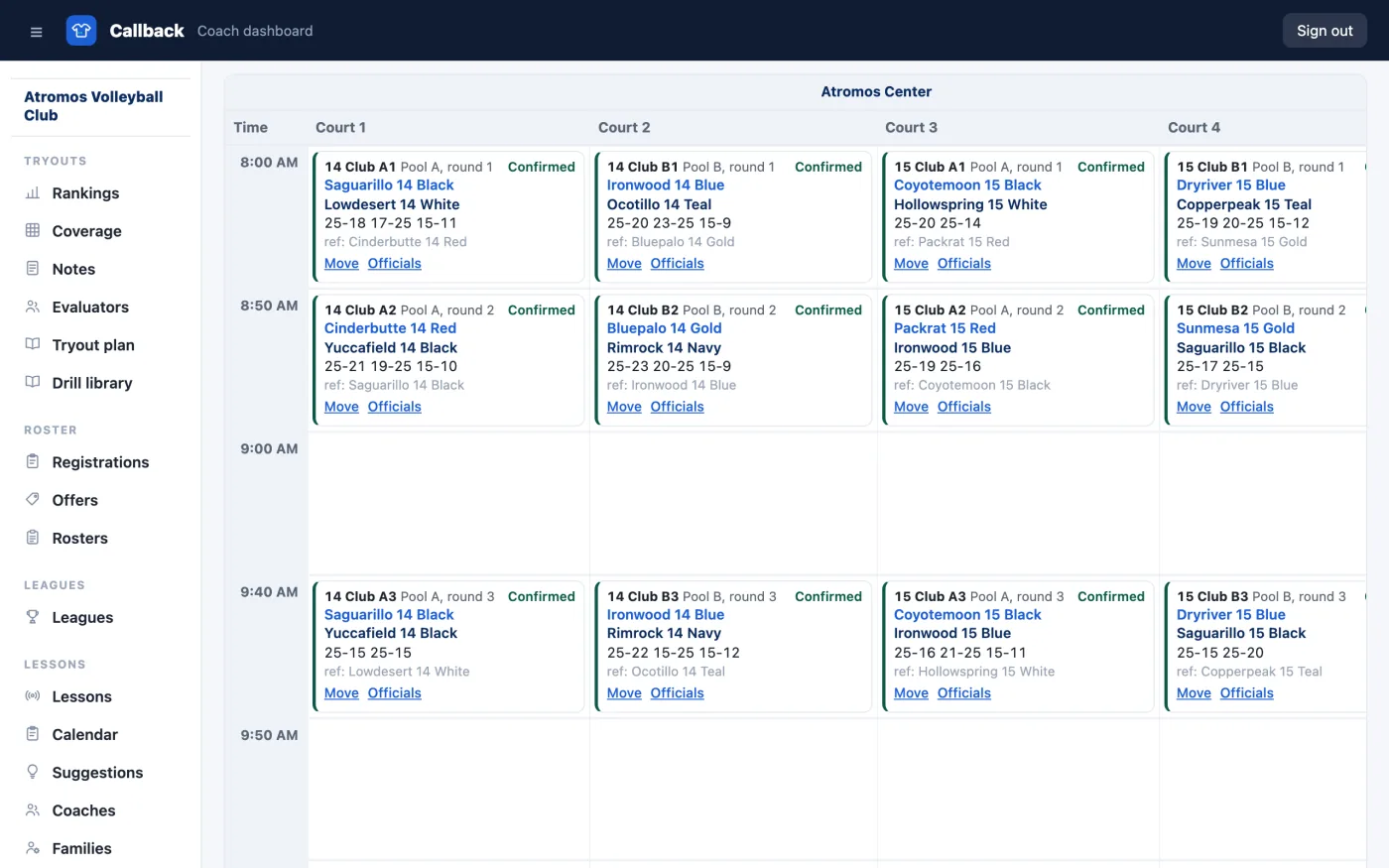
The schedule grid shows every court across and the day down, with each match, its work team and its time. Callback flags a team or an official booked in two places at once. When you publish, every team's coach gets an email with the team's day.
Print a sheet for each division
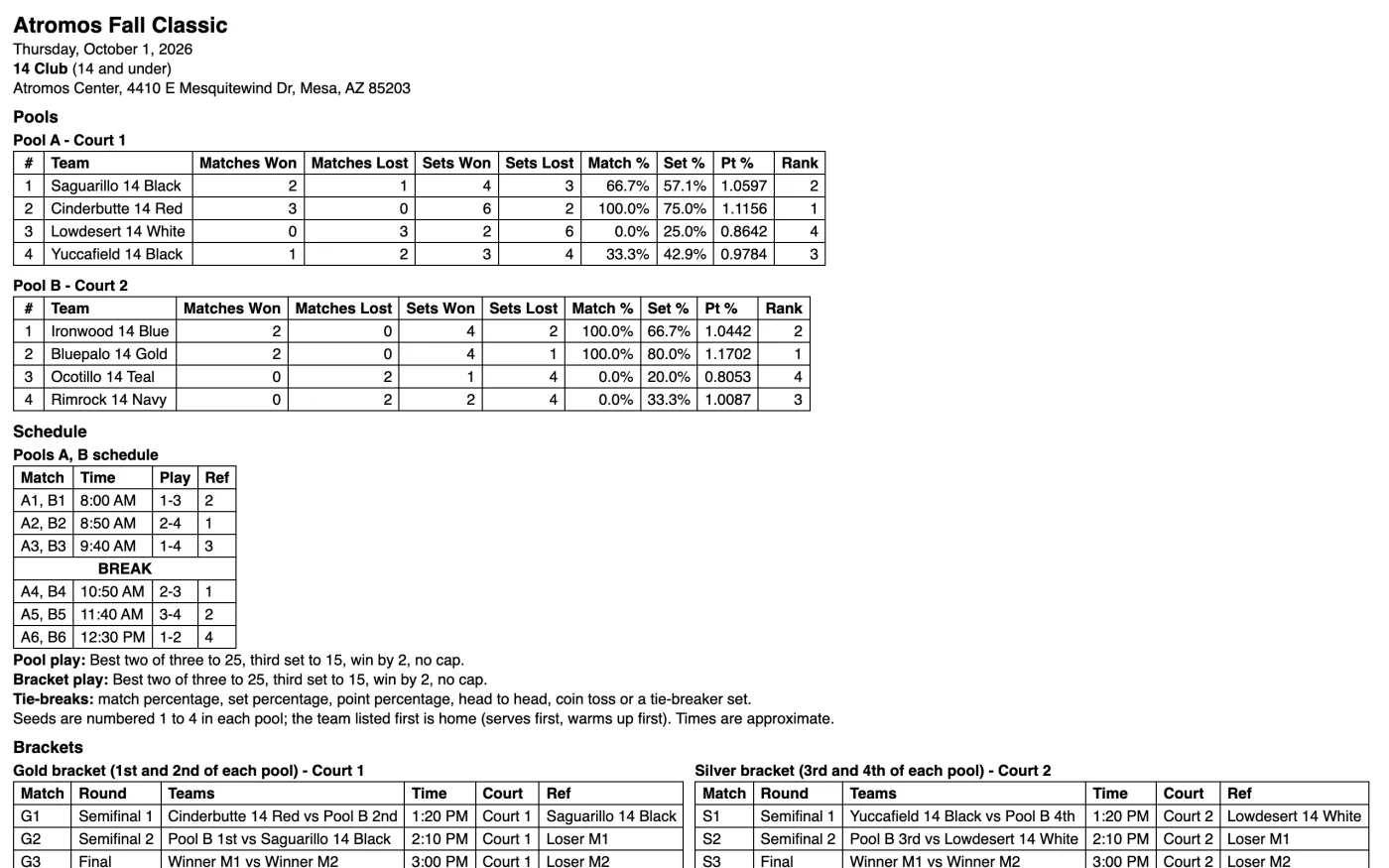
One page holds a division's pools with their courts, the schedule by seed with the work teams, the format and tie-breaks, the bracket, the site address and the director's phone. Print a pool sheet with blank score boxes for each court's table.
Enter scores from the court
The work team or a staff member enters set scores on a phone with the court's code, then moves on to the next match. Standings update as each set lands, and the brackets fill in from the pool finishes automatically. You confirm the results you choose, such as bracket finals, and can set a finish order by hand with a note.
Let families follow every team's day
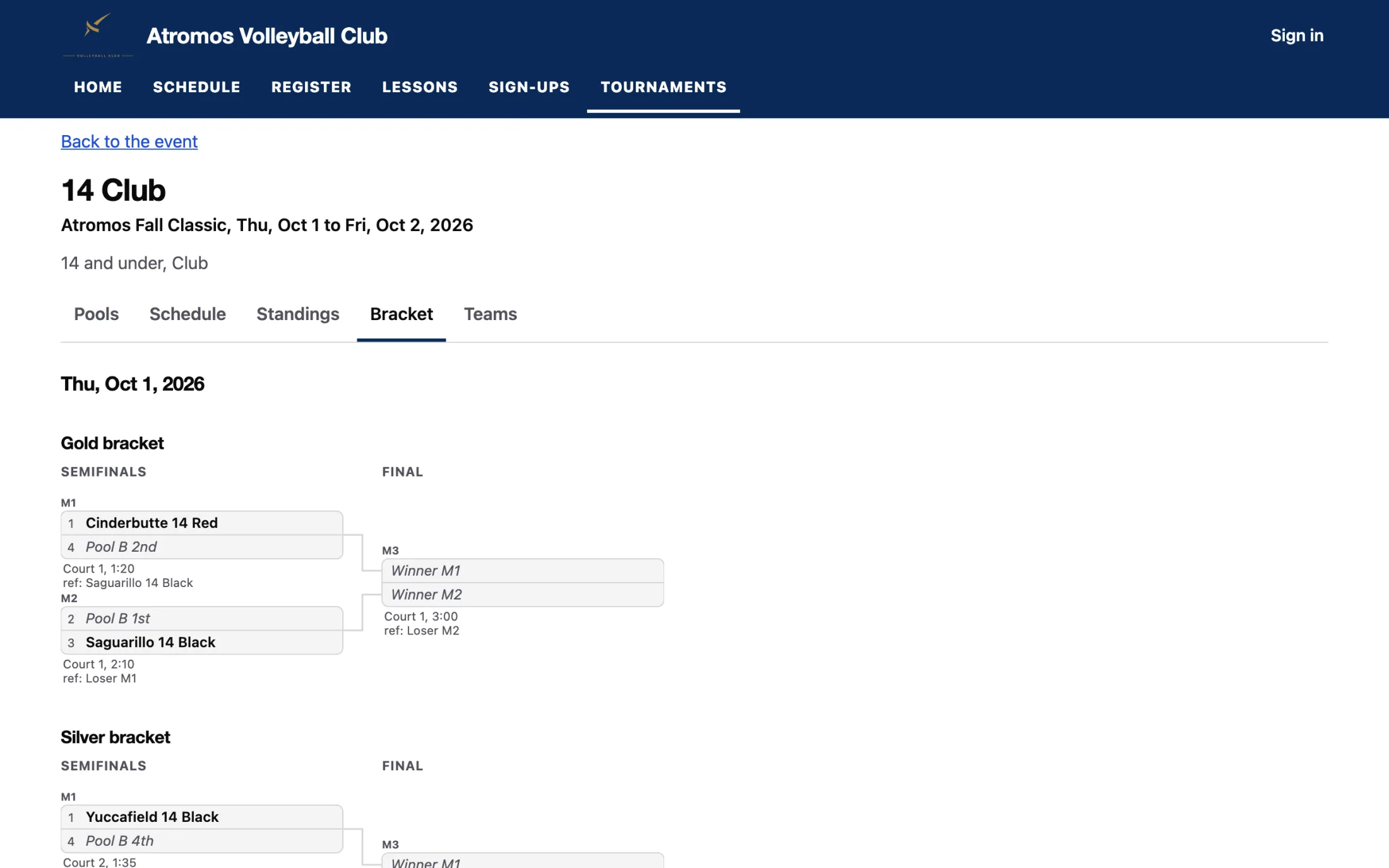
Each division's page shows the pools, the schedule, the standings with match, set and point percentages and the points ratio, and the bracket in your club's colors, readable on a phone. A parent taps their team and sees its next match and its next work assignment, with the court and the time. If a court runs behind, mark it, and every later time on that court moves.
Put the day on the gym's televisions
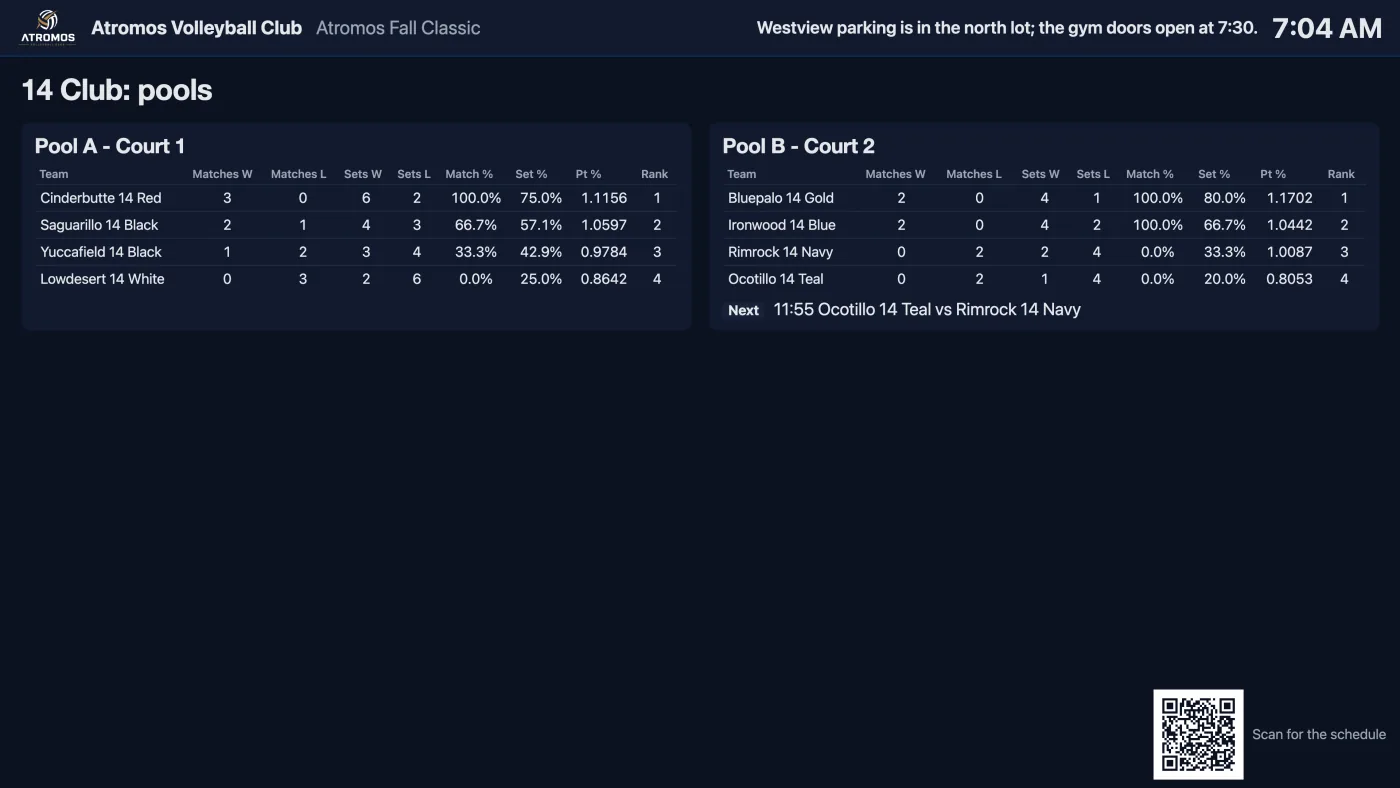
Open the event's display address on a television or a tablet. It rotates the pools, the brackets and what is on each court in large type, shows your announcements, and refreshes every minute. A QR code on the screen opens the event page.
Run a four-team pool and a bracket
Many club tournaments are one division on two courts: two pools of four, then a Gold and a Silver bracket. Pick the one-day starter and add your teams, and Callback writes the pool schedule with the idle team working, seeds the brackets from the pool finishes, and prints one sheet for the whole division.
On the systems big events use, public scores wait until the director's computer syncs. In Callback, scores show as each set is entered, and every team can see where it plays and works next.
What's included
- ✓A Tournaments section in your dashboard for your admins and anyone you make a tournament director.
- ✓Three starter events: a one-day club tournament, a multi-division invitational and a play day.
- ✓A page for every event on your club website, at
<your-club>.callbacksports.com - ✓A display address for each event for the gym's televisions and the referee stand.
What you need
- ✓Nothing for a free event. To take entry fees by card, connect a Stripe account from Settings.
- ✓Coaches register with a Callback account. Anyone 16 or older can create one on your website.
- ✓Teams registered somewhere else come in from a spreadsheet, pasted into the board.
Host your next tournament on Callback
Tournaments is included in Callback at $99 a month, billed yearly. Everything your club needs is included.